
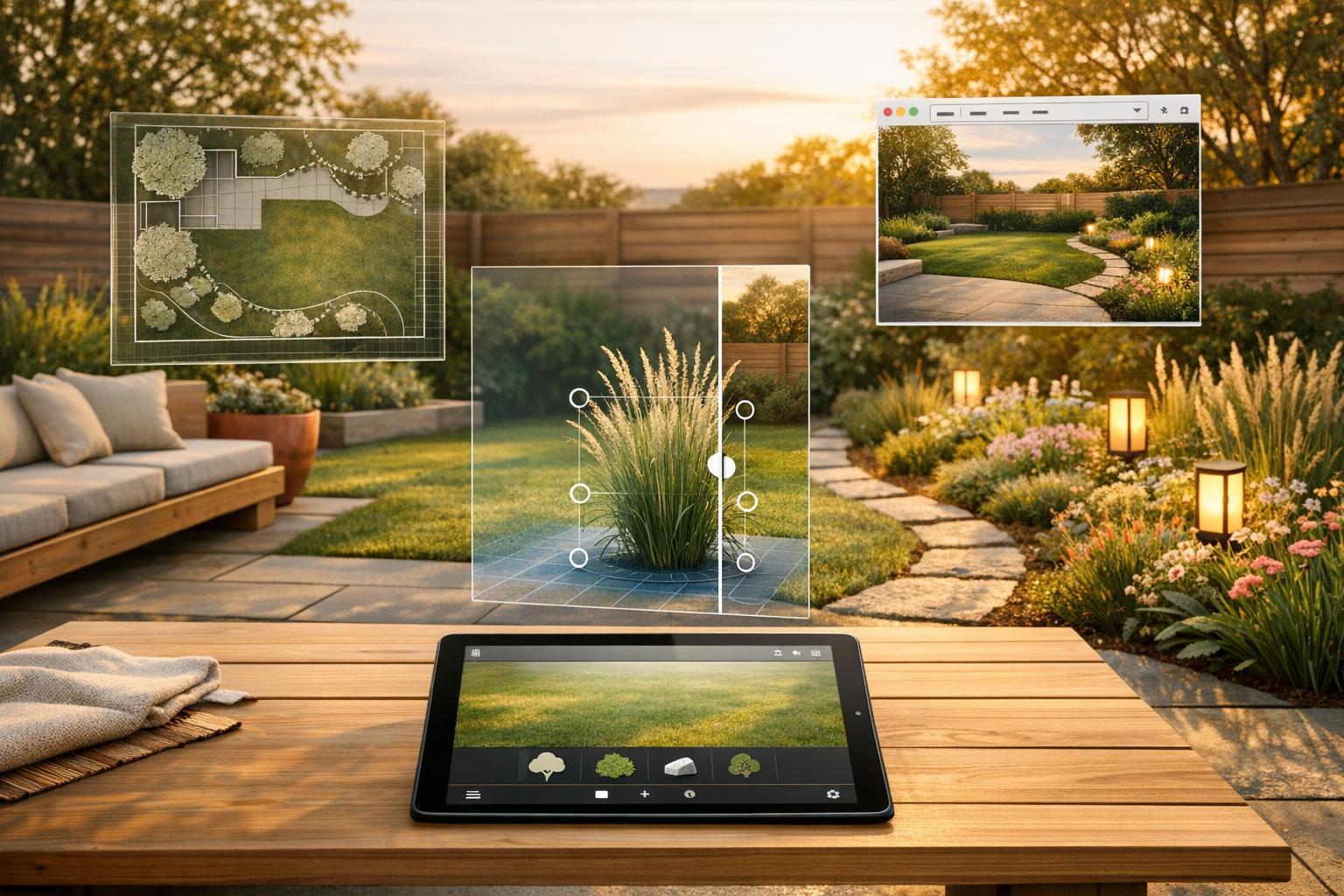
Looking to redesign your yard without spending a fortune? Here’s a quick rundown of the best free landscape design apps of 2026 that can help you visualize your dream outdoor space before committing any money or effort. These tools range from AI-powered instant designs to hands-on 3D modeling, catering to both beginners and professionals.
- InstantInterior AI: Delivers photorealistic 4K renders in seconds. Free tier includes one watermark-free render, with a commercial license available on all plans.
- iScape: Offers AR features for manual drag-and-drop designs. Free version is limited to two designs and includes watermarks.
- Planner 5D: A drag-and-drop tool for 2D/3D layouts. Free plan allows unlimited projects but restricts object catalogs and resolution.
- SketchUp Free: Browser-based 3D modeling tool with a vast library of pre-made models. Requires manual design and has a steep learning curve.
Quick Comparison:
| Feature | InstantInterior AI | iScape | Planner 5D | SketchUp Free |
|---|---|---|---|---|
| Free Tier Access | 1 watermark-free render | 2 designs, limited items | Unlimited projects | Full 3D Warehouse |
| Output Quality | Photorealistic (up to 4k) | AR overlay, 2D markup | Basic 3D visuals | Precise 3D models |
| Commercial License | Included | Paid upgrade | Paid upgrade | Not permitted |
| Ease of Use | Simple 3-step process | Moderate learning curve | Easy to use | Steep learning curve |
For fast, high-quality results, InstantInterior AI stands out with its easy setup, photorealistic renders, and commercial license included in all plans.

Comparison of 4 Best Free Landscape Design Apps 2026
1. InstantInterior AI

InstantInterior AI specializes in creating professional-grade landscape designs. With over 10,764 users and more than 28,523 designs generated so far, it transforms photos of your yard into actionable, photorealistic designs.
Free Tier Features
Getting started is easy and free. The platform offers one watermark-free render as a trial, letting you test the design quality without any upfront cost. The output quality remains consistent across all plans, ensuring top-tier photorealistic results even in the free tier. For those ready to upgrade, the Hobby plan starts at $13.50/month (billed annually). This plan includes 200 renders per month, ultra-high-resolution images, and a commercial license - making it an ideal option for professionals like landscapers or real estate agents who need client-ready designs right from the start.
Output Quality
No matter which plan you choose, InstantInterior AI delivers ultra-high-resolution designs. Simply upload a photo of your yard, select your preferred style, and receive a photorealistic redesign tailored to your needs. Alexandre L. shared his experience with the platform:
"Everything is very intuitive and the rendering output is really good and qualitative."
Additionally, the platform claims to be up to 90% cheaper than hiring a traditional interior designer, making it a cost-effective choice for both homeowners and professionals.
Style Variety
InstantInterior AI doesn’t just focus on quality; it also offers a wide range of design styles. With more than 20 landscape options to choose from - including front yards, backyards, patios, pools, and low-maintenance designs - you can experiment until you find the perfect aesthetic for your space. Kitti P. praised the platform, saying:
"The AI is the best I've tried and the website is really easy to use."
Commercial License
A standout feature of InstantInterior AI is its inclusion of a commercial license with all plans - even the Hobby tier. This makes it a practical solution for landscapers, real estate agents, and property managers who need high-quality designs for presentations, listings, or proposals. For those with larger demands, the Business plan offers 5,000 renders per month at $49.50/month (billed annually). This flexibility ensures the platform caters to both individual homeowners and high-volume professionals alike.
sbb-itb-4214aae
2. iScape

iScape offers a manual drag-and-drop tool that lets users place elements via AR or 2D photo overlays. It’s tailored specifically for professional landscapers who want to showcase designs at a realistic scale using a phone camera.
Free Tier Features
The free version gives users access to basic AR and 2D markup tools, allowing them to save up to two designs and use about 20 catalog items. However, it includes watermarks and ads, and the catalog is quite limited - only a small selection of plants compared to the full version. The app is primarily designed for Apple devices (iOS and visionOS), though some Android versions are available. For most users, the free tier feels more like a demo than a fully functional tool. These restrictions highlight the need for tools that provide robust features without such limitations.
Output Quality
iScape relies on manual placement of elements, allowing users to overlay plants and materials onto live views or uploaded photos for realistic 2D and 3D previews. This setup offers precise control, which is especially helpful for professional proposals, but it demands a significant time investment and a learning curve compared to automated design tools. As Forbes put it:
"If you're hiring a landscaper, the app can help you explore ideas and share your vision".
While this level of detail is valuable, using the app professionally often means upgrading to access its full potential.
Commercial License
The free tier does not permit commercial use. Professionals like landscapers, real estate agents, or property managers need the Pro subscription, which costs $29.99/month or $299.99/year, to legally use iScape for client projects. The Pro version unlocks advanced features like branded PDF proposals with material lists and pricing, client management tools, and the ability to import custom assets. Landscapers have reported closing 20% more deals by using iScape's AR walkthroughs during presentations. However, these benefits require the paid subscription, making the app’s manual approach and tiered pricing a consideration for those seeking a more seamless, automated solution from the start. For users prioritizing ease and efficiency, this highlights the appeal of instant, AI-driven tools.
3. Planner 5D
Planner 5D is a hands-on design tool where you can create landscape layouts manually using its drag-and-drop editor. Unlike AI-driven tools that quickly generate designs from photos, this platform requires you to position every element - like plants, furniture, and hardscaping - yourself in either 2D or 3D modes. While this provides full creative control, it also means investing more time and effort in the process.
Free Tier Features
The free "Perpetual Basic" plan offers a mix of flexibility and limitations. It allows unlimited projects and syncs across multiple platforms, including web, Windows, macOS, iOS, and Android. You can design in both 2D and 3D, take advantage of a VR walkthrough feature, and use a basic AI tool to generate layouts from sketches or templates. However, the free plan restricts access to a limited object catalog, while the full library of over 8,400 elements is available only with a Premium subscription, priced at $59.99 per year. Additionally, all free projects come with watermarks, which can be a hurdle for professional use. As creativeblox shared:
"The app is easy to use. Even a newbie can come up with nice designs."
Output Quality
Planner 5D supports both hand-drawn and photo-realistic rendering styles. However, free users are limited to standard-definition visuals, while Premium subscribers gain access to high-definition and 4K photorealistic renders, with five HD renders included per month. The platform's realism is rated at 3.3 out of 5, and it lacks some advanced features like terrain sculpting and custom object creation, which are commonly found in more specialized CAD software.
Commercial License
The free tier does not include a commercial license, and the presence of watermarks on all projects makes it unsuitable for professional presentations. To remove watermarks and unlock HD renders, professionals need to upgrade to the Premium plan for $59.99 per year. However, even with the Premium plan, the platform’s use of generic plant models - without USDA hardiness zone data or specific species identification - can be limiting for detailed horticultural projects. For professionals such as landscapers or real estate agents who need polished, commercial-ready designs immediately, the manual process and watermarked free tier of Planner 5D may not be ideal. Tools like InstantInterior AI, which offer instant, high-quality outputs without watermarks, provide a more efficient alternative for such needs.
4. SketchUp Free

SketchUp Free is a browser-based 3D modeling tool focused on precision. Unlike AI-driven platforms that generate designs instantly, this tool requires you to manually build every detail of your landscape - whether it's patios, retaining walls, or plant placements. Since it runs directly in your browser, there's no need for installation, making it accessible from any computer. However, it does come with a steeper learning curve compared to drag-and-drop alternatives. This hands-on approach stands in stark contrast to the speed and automation offered by AI tools.
Free Tier Features
With the free version of SketchUp, you get access to the 3D Warehouse, an extensive library filled with thousands of pre-made 3D models. These include everything from plant species and trees to outdoor furniture, pergolas, and fire pits. Additionally, you get 10 GB of cloud storage through Trimble Connect, allowing you to save and access your projects remotely.
SketchUp Free is particularly suited for creating structural elements - like multi-level decks, walkways, and retaining walls. However, tools like push–pull modeling and precise measurements take time to master. Compared to more intuitive apps that offer near-instant visualizations, this platform demands patience and practice.
Output Quality
The platform generates detailed, technical 3D models, but the final quality depends heavily on the assets you select from the 3D Warehouse. While the models are precise and ready for construction, they lack the photo-realistic quality of AI tools. For example, SketchUp Free is rated 3 out of 5 for effectiveness and quality. It offers better structural accuracy than basic tools but doesn’t deliver the instant, high-resolution 4K renders that many AI-powered platforms provide. For homeowners wanting quick, polished visuals of their yard, the time required to learn and use SketchUp Free might feel like an unnecessary hurdle.
Commercial License
The free version of SketchUp is strictly for personal use. If you’re a professional - whether a landscaper, contractor, or real estate agent - looking to use the tool for client projects, you’ll need to upgrade to a paid plan like SketchUp Go or Pro. In comparison, platforms like InstantInterior AI include a commercial license across all plans, even the free tier, allowing professionals to use their designs for presentations, HOA submissions, or marketing without restrictions.
Pros and Cons
Each tool brings something different to the table, but InstantInterior AI shines with its ability to deliver instant 4K renders and an included commercial license. It’s built for speed and quality, producing photorealistic 4K visuals in under 30 seconds, even for users with no design experience. With over 10,764 users and 20+ landscape styles, it’s clear that this platform is both accessible and versatile. The commercial license included in every plan makes it a go-to for professionals needing quick turnarounds for client presentations or HOA submissions.
iScape stands out for its augmented reality feature, which lets you overlay plants and hardscaping elements onto your actual yard using your phone’s camera. However, its free tier is quite limited, offering only 2 designs and access to about 20 items. For commercial use, professionals must upgrade to the Pro plan, which costs $29.99/month or $299.99/year.
Planner 5D allows unlimited projects on its free Basic plan, but this comes with a limited object catalog and lower-resolution renders. If you want high-quality 4K exports, you’ll need the Premium plan at $59.99/year. Additionally, its free tier doesn’t support commercial use, requiring a paid upgrade for professionals.
SketchUp Free offers a vast library via its 3D Warehouse and 10 GB of cloud storage, making it a strong choice for detailed structural planning, such as decks or retaining walls. However, the platform has a steep learning curve and requires significant time to manually build models. Moreover, the free version is strictly for personal use, so professionals like landscapers or contractors must opt for a paid plan to use it commercially.
While these tools each have their strengths, InstantInterior AI stands out as the most well-rounded option. It provides photorealistic results instantly, offers a truly free starting point, and doesn’t lock essential features like a commercial license behind a paywall. For anyone looking for a seamless and efficient design solution, it’s hard to beat.
Here’s a quick comparison of the tools:
| Feature | InstantInterior AI | iScape | Planner 5D | SketchUp Free |
|---|---|---|---|---|
| Free Tier Access | Truly free to start | 2 designs, ~20 items | Unlimited projects, basic catalog | Full 3D Warehouse access |
| Output Quality | Photorealistic 4K renders | AR camera overlay, 2D photo markup | Basic 3D visualization | Precise 3D models |
| Style Options | 20+ landscape styles | Manual placement only | Generic plant models | Custom modeling required |
| Commercial License | Included on all plans | Pro subscription only | Paid upgrade required | Not permitted |
| Learning Curve | 3-step process, instant | Moderate (drag-and-drop) | Easy (cross-platform) | Steep (manual 3D modeling) |
| Platform | Web-based | iOS/visionOS only | Web, mobile, desktop | Web-based |
For homeowners who want fast, realistic designs without a complicated setup, InstantInterior AI offers the best mix of speed, quality, and ease of use. Professionals will also appreciate the included commercial license and high-resolution results, allowing them to create client-ready presentations right away - no extra costs or upgrades needed.
Conclusion
If you're searching for a landscape design app that's easy to use, delivers professional-level results, and offers genuine value, InstantInterior AI stands out from the crowd. You can get started for free - no credit card needed - and create photorealistic 4K renders that look like they were crafted by an expert. With more than 10,764 satisfied users already transforming their outdoor spaces, it’s become a trusted choice for both homeowners and professionals.
What makes InstantInterior AI truly different is its transparency - essential features aren’t hidden behind costly upgrades. Every plan includes a commercial license, making it perfect for landscapers, contractors, and real estate agents who want to use these designs in their client projects. The process is straightforward: upload a photo, pick from over 20 landscape styles, and generate your design. No complicated software installations or steep learning curves to worry about.
It’s not just about convenience - it’s about saving money too. InstantInterior AI is nearly 90% less expensive than traditional design services, offering high-quality results without the hefty price tag or long delays.
Why wait? Try your first render for free and see the results instantly - no strings attached.
FAQs
Do I need a credit card to try InstantInterior AI?
No, you don’t need a credit card to use InstantInterior AI. Your first render is entirely free, and there’s no need to provide any payment details to begin.
Can I use InstantInterior AI renders for client work or marketing?
Yes, all renders generated by InstantInterior AI include full rights for both personal and commercial use. This allows you to use them freely in client projects, marketing campaigns, or any other professional applications.
What kind of photo should I upload for the best results?
For the best outcome, upload a clear and well-lit photo of your yard or outdoor space. Make sure the image shows the area you want to design without any obstructions. This ensures the AI can generate accurate and realistic landscape designs.