
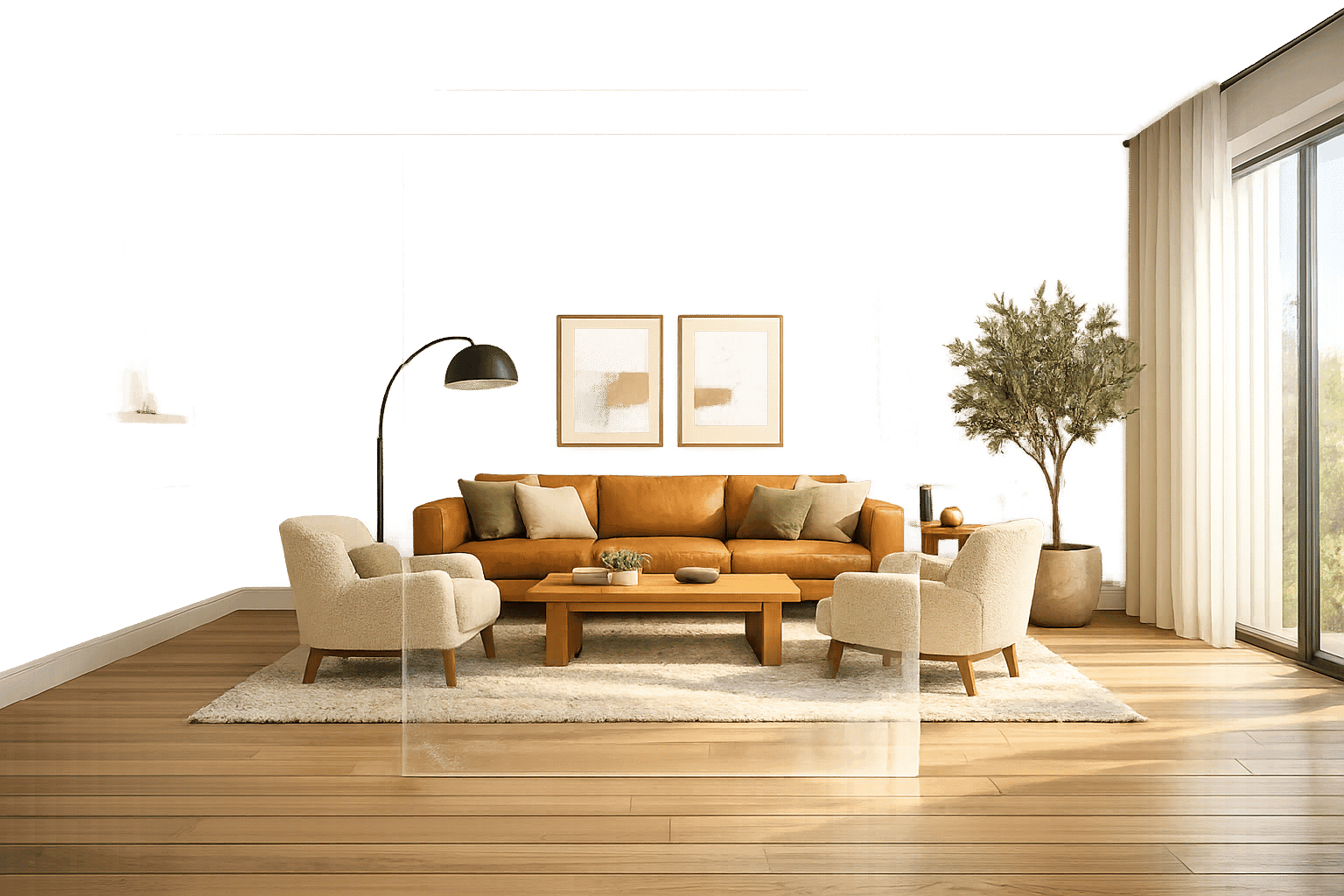
AI interior design is transforming the industry by turning simple photos or sketches into photorealistic renderings in minutes. This process is particularly effective for AI virtual staging, which helps real estate professionals showcase empty properties. It uses machine learning to analyze room geometry, detect objects, and create design concepts based on your preferences. This technology is faster and more affordable than traditional methods, making professional-grade interior design accessible to more people.
Key Highlights:
- Speed: AI reduces rendering time from 4–8 hours to just 2–3 minutes.
- Cost: Traditional 3D renderings cost $300–$1,000 per view, while AI-generated designs cost a few cents or $10–$50/month.
- Ease of Use: Upload a photo, provide a text prompt, and receive lifelike designs in seconds.
- Market Growth: The AI interior design market is projected to grow from $829M in 2023 to $7.3B by 2033.
How It Works:
- Image Analysis: AI identifies room geometry, objects, and textures using techniques like segmentation and perspective mapping.
- Design Generation: Text prompts or style menus guide AI to create photorealistic visuals, refined with tools like negative prompts or inpainting.
- Customization: Users can adjust designs, swap styles, or add specific furniture pieces.
While AI simplifies the design process, it’s best used for visualizing ideas rather than precise construction plans. Always verify dimensions and structural details before implementation.

Traditional 3D Design vs AI Interior Design: Speed, Cost & Accessibility Comparison
Floor Plan to 3D Render: The only AI that Actually Works!
sbb-itb-4214aae
How AI Analyzes and Processes Room Images
When you upload a room photo, AI does much more than just look at the image - it dives deep into its structure. Within seconds, multiple neural networks break down the room's geometry, identify objects, and map out spatial relationships.
Image Segmentation and Object Detection
Once the photo is uploaded, the AI gets to work by segmenting and identifying key elements in the image. It uses semantic segmentation, analyzing every pixel and assigning categories like wall, floor, ceiling, furniture, windows, or decorative objects. This step creates "masks" that separate elements - for example, distinguishing a couch from the wall behind it or a rug from the floor.
At the same time, object detection identifies specific items by matching them to predefined categories such as couches, beds, tables, chairs, plants, and rugs. This distinction is essential for deciding what to keep, remove, or replace during the redesign process.
To ensure precision, the AI applies a technique called mask dilation, which expands furniture boundaries by 1–2 pixels to account for subtle shadows and reflections. Models like Qwen go a step further by analyzing the room’s geometry to "fill in" missing sections of walls or floors that were previously hidden by furniture.
Perspective Mapping and Feature Extraction
After identifying objects, the AI uses the 2D photo to figure out 3D spatial relationships. It locates vanishing points and architectural edges to determine depth and proportions. With tools like ControlNet and Canny edge maps, the AI extracts the room's structural outlines, locking in accurate dimensions. This ensures that any new design fits seamlessly within the original layout.
The AI also performs feature extraction to identify textures and lighting conditions. Whether it’s the wood grain on cabinets, tile patterns on floors, or sunlight streaming through windows, these details are captured and analyzed.
"The AI model relies heavily on the 'edges' and contrast of your input image to understand geometry." - StagePro Team
From segmentation to perspective mapping, the entire analysis process takes less than 30 seconds. This rapid, automated process makes professional-grade visualization accessible, eliminating the need for manual 3D modeling while capturing precise measurements and texture details - readying the space for AI-driven design and rendering.
The AI Design and Rendering Process
Once your room is analyzed, the AI quickly converts your design preferences into lifelike images. Whether you provide a simple text description or select options from a style menu, the system transforms your input into visuals that resemble professional photography rather than computer-generated graphics. By combining natural language processing (NLP) with generative models, the AI ensures the final renders are both visually stunning and aligned with your vision. Here's a closer look at how this process unfolds.
Processing Natural Language Inputs
The AI begins by breaking your text instructions into actionable pieces. For example, if you type, "modern farmhouse kitchen with white oak cabinets", the system uses NLP to identify key elements like room type, style, furniture, and materials. These components are then matched against extensive databases of design principles, furniture catalogs, and spatial guidelines to produce results that are not only visually appealing but also functional.
A helpful formula for crafting a text prompt is:
[Subject] + [Style] + [Materials] + [Lighting] + [Quality Keywords]
For instance: "Scandinavian living room with herringbone white oak flooring, diffused sunlight, volumetric lighting".
"The text prompt acts as the 'director' of the scene. While the sketch provides the shape, the prompt provides the texture, lighting, and mood." - StagePro Team
Some platforms even allow you to upload inspiration photos from sources like Pinterest or magazines, enabling the AI to replicate the desired aesthetic directly in your room design.
Generating and Refining Photorealistic Renders
Once your instructions are processed, the AI moves on to rendering. Using techniques like diffusion models or GANs, the system transforms random noise into detailed, photorealistic images. Settings such as "structure adherence" (e.g., ControlNet values between 0.7–0.9) ensure that the render stays true to the original room's geometry.
To refine the output, designers use negative prompting, which involves excluding unwanted elements. Common exclusions include terms like "blurry, watermark, distorted, low quality, cartoon, sketch". This technique helps maintain photorealism, while tools like inpainting are used to fix small imperfections selectively.
The entire process takes just 10–30 seconds, a massive improvement compared to the 4–8 hours typically required for traditional 3D modeling. Since AI generation is probabilistic, designers often create 5–8 variations per prompt to select the best result. This blend of speed and precision showcases how generative AI is transforming interior design, making it faster and more accessible without sacrificing quality. For more inspiration, explore our AI interior design blog for the latest trends and tips.
Step-by-Step Guide to Using Generative AI for Interior Design
Using generative AI for interior design is quick and straightforward, but the quality of your results depends on how well you prepare your photos and interact with the system. With just a few minutes from upload to final render, knowing the best AI for interior design and the right techniques can make the difference between an average concept and a stunning, photorealistic design.
Preparing and Uploading Room Photos
The first step to getting great results is preparing your photos. Start by decluttering the room - remove personal items, clear surfaces, and straighten any decor. This creates a clean slate for the AI to work with and avoids distractions that might interfere with its analysis.
Lighting is key. Shoot your photos during mid-morning or afternoon when natural light is at its best. Avoid using flash or taking pictures at night, as artificial lighting can create harsh shadows that confuse the AI’s ability to interpret colors and depth.
To capture the space accurately, stand in a doorway or corner to include at least two walls and the floor. Hold your camera at chest height and make sure it’s level - this keeps vertical lines like doors and windows straight. Use your phone’s standard lens instead of an ultra-wide one to prevent distortion. If there’s furniture that can’t be moved, try using the "AI Decluttering" feature to digitally clear the space. Finally, save your photos in high resolution as JPG files, keeping the original aspect ratio intact.
Customizing Designs and Reviewing Outputs
After uploading your photo, choose the mode that matches your project’s needs. Options typically include "Virtual Staging" for empty rooms, "Interior Design/Restyle" for spaces with existing furniture, or "Renovation" for structural changes like new flooring or wall adjustments. Many platforms offer over 50 style presets, such as Scandinavian, Industrial, Mid-Century Modern, and Bohemian.
When crafting your prompts, use this structure: [Room Type] + [Style] + [Materials] + [Lighting] + [Mood]. For example: "living room with a navy blue velvet sofa and warm brass accents, soft diffused sunlight." To ensure photorealistic results, include negative prompts like "blurry", "low quality", "watermark", "distorted", or "cartoon." Generate 5–10 variations per photo to explore different interpretations, then refine specific elements with commands like "make the rug larger" or "add more natural light."
"AI turns you from a 'drafter' into a 'Creative Director.' You control the vision; AI handles the rendering."
– Yulii Cherevko, CEO, paintit.ai
Some platforms also offer AI chat assistants, allowing you to tweak designs through natural conversation. These tools can guide you on details like color schemes or furniture choices. Once you’re satisfied, evaluate the practicality of your design before moving forward.
Evaluating Practicality and Next Steps
Now that you have your render variations, it’s time to verify dimensions and plan your next steps. Double-check measurements manually before making purchases, as even the most visually appealing render might not align with your room’s actual dimensions. Achieving the best results often involves a cycle of "Generate → Curate → Refine → Generate", so don’t expect perfection on the first try.
While AI can handle the creative concepts, you’ll still need professionals for tasks like structural work, precise measurements, and installation. The renders act as a visual guide, helping you communicate your ideas to contractors, furniture suppliers, or even family members. They transform your vision into actionable plans, offering the convenience and accessibility discussed earlier.
Interestingly, users have reported a 70% reduction in furniture returns when they visualize items in their spaces before purchase.
Benefits of Generative AI Over Manual Design Tools
Generative AI is changing the way interior design projects are approached, making the process faster, more accessible, and far less complex. What once required years of training and costly equipment can now be accomplished with just a photo and a bit of text. These tools are breaking down barriers and reshaping the design landscape.
Removing Technical Barriers
Traditional design software was anything but user-friendly. Designers had to master intricate systems involving layers, coordinates, and rendering engines. Producing a single image meant understanding 3D modeling, lighting, and texture mapping. Generative AI has flipped the script by automating much of this work. Using computer vision, these tools can analyze a single photo from a smartphone, identifying walls, floors, windows, and doors without the need for manual measurements or modeling.
This innovation makes high-quality design accessible not just to professionals but also to everyday homeowners.
"The bottleneck hasn't been creativity, it's been the ability to quickly visualize your creative concepts for clients" - Hemanth Velury, CEO of VirtualSpaces
By removing these technical hurdles, AI allows designers to focus on creativity rather than getting bogged down in software mechanics.
Speeding Up the Design Process
Generative AI has drastically reduced the time it takes to create interior design renderings. What used to take 4–8 hours back in 2020 can now be completed in just 2–3 minutes. This efficiency can cut project timelines by as much as 30%, leading to higher productivity across the industry.
The real magic happens during client meetings. Designers can now make real-time adjustments - swapping out materials, colors, or furniture on the spot, such as generating traditional kitchen AI designs to compare styles. For example, Bayer's 2024 collaboration with Matterport used AI-powered digital twins for facility planning, slashing planning time by an impressive 75%.
Enabling Non-Technical Users
Generative AI doesn’t just speed things up; it also makes design tools more accessible. Instead of learning complex software, users can simply type a natural language prompt - like "a cozy Scandinavian living room with light oak floors and a neutral palette" - and receive stunning, photorealistic results within seconds.
Most AI platforms work directly in web browsers or mobile apps, so there’s no need for expensive hardware. This means that even a homeowner with a smartphone can create professional-grade designs that once required high-end computers and pricey software licenses. For many interior designers, the focus has shifted from mastering technical tools to honing creative vision.
| Feature | Traditional 3D Software | AI Design Tools |
|---|---|---|
| Time to First Draft | 4–8 hours | 2–3 minutes |
| Learning Curve | High (requires years of training) | Low (upload photo and describe) |
| Cost Per Image | $300–$1,000+ | Cents per generation |
| Hardware Required | High-end workstation | Any device with a browser |
| Revision Speed | Hours to days | Seconds to minutes |
Limitations and Practical Considerations
Generative AI can produce visually impressive designs, but these images remain conceptual. The technology doesn't fully grasp structural realities or how materials behave in actual spaces. Before diving into a renovation based on an AI rendering, it's crucial to understand these shortcomings. AI renderings are best used as inspiration rather than definitive blueprints for construction.
Conceptual vs. Actual Implementation
This gap between concept and execution becomes clear when applying AI designs to real-world projects. While AI-generated visuals may look highly realistic, they often lack the technical accuracy needed for construction. For instance, AI doesn’t account for structural constraints like door swing radii or hidden elements, such as columns or joists. It might suggest placing a built-in bookshelf where a load-bearing column exists or positioning recessed lighting in areas where ceiling joists make installation impossible.
Take the example of a Portland homeowner in March 2026: they used AI to envision a bungalow renovation, but the design failed to account for a concealed structural column and placed recessed lighting without considering the ceiling joist layout.
"AI is our fastest sketchpad - not our engineer. I tell clients: 'That render shows what your room could feel like. But what it will be depends on the tape measure, the multimeter, and the sample board on your coffee table.'"
- Lena Torres, Founder, Form & Field Studio
AI also struggles with spatial relationships and human scale, potentially leading to impractical layouts. For example, it might position furniture too close to walls or ignore fire egress codes requiring at least 36 inches of clearance. Furthermore, while AI can simulate textures, these are statistical approximations. It can't accurately depict how materials like matte white oak change color in different lighting conditions or how velvet interacts with LED light sources.
To avoid these pitfalls, always validate AI-generated designs against precise floor plans (whether CAD-based or hand-drawn), conduct thorough site surveys, and review material samples under various lighting conditions throughout the day.
The Role of User Input and Refinement
Given these limitations, the quality of user input becomes essential. While AI excels at quick visualizations, achieving accurate results requires detailed and thoughtful prompts. Generic instructions like "modern living room" yield uninspired and vague results. Instead, detailed inputs - such as room dimensions, specific materials, color schemes, and desired ambiance - are key to guiding the AI effectively.
Refinement is also a critical step. Use the initial AI output as a draft and improve it through iterative feedback. Negative prompts can help eliminate unwanted elements, such as "blurry, distorted, cartoon, watermark". For nearly perfect renders with minor flaws, try the "sketch-over" technique: manually mark areas needing adjustment on the image and re-upload it for further refinement.
To structure effective prompts, include elements like room dimensions, materials, and lighting preferences. A helpful formula is: [Subject] + [Style] + [Materials] + [Lighting] + [Quality Keywords]. Incorporating professional design terms, such as "asymmetric balance" or "focal point", can also guide the AI toward more polished and intentional layouts.
Using InstantInterior AI for Generative Interior Design

InstantInterior AI takes the concept of generative AI and tailors it specifically for interior design. Unlike interior design AI apps, this platform is trained to understand interior design principles and spatial relationships. This ensures that the designs it generates not only look stunning but also maintain architectural accuracy. With more than 8,060 users, the platform delivers photorealistic designs in as little as one minute, making it a trusted tool in the design world.
Key Features of InstantInterior AI
InstantInterior AI offers a range of tools designed to tackle common design challenges. Users can choose from preset styles like Modern, Scandinavian, Industrial, or Art Deco, or provide text prompts and inspiration images to guide the AI. Some standout features include:
- Paint Walls: Digitally change wall colors to explore different moods and palettes.
- Empty the Room: Remove existing furniture to start with a blank canvas.
- Erase & Edit: Focus on specific areas of the space for detailed adjustments.
- Furniture Insertion: Add exact furniture pieces, such as a "3-seater brown togo chair", or replace fixtures using reference images.
Every paid plan comes with commercial usage rights, making it a great option for professionals like real estate agents and home stagers who need unbranded, high-resolution visuals for client presentations. The platform also includes version control, which lets users revert to the original image or earlier designs. This feature makes it easy to experiment with different styles - switching, for example, from Mid-Century Modern to Scandinavian - without losing your progress.
How to Use InstantInterior AI
Designing with InstantInterior AI is straightforward and quick. Here’s how it works:
- Upload a clear, well-lit photo of your room that shows the full space, including corners and windows.
- Choose a design style or provide text instructions to set your preferences.
- The AI generates multiple photorealistic concepts in 1–2 minutes while keeping the room’s original architectural elements intact.
- Refine the design by adjusting colors, painting walls, or adding specific furniture pieces.
- Download the finished high-resolution render.
The platform works on any device, and new users can try it out with a free render before committing to a paid plan.
Pricing and Plans
InstantInterior AI offers flexible pricing options with annual plans that include credits upfront:
- Hobby Plan: $13.50 per month (billed annually at $162) with 1,200 credits, high-resolution images, and commercial rights.
- Premium Plan: $28.50 per month (billed annually at $342) with 7,200 credits and priority support.
- Business Plan: $49.50 per month (billed annually at $594) with 24,000 credits for high-volume users.
For those who prefer a one-time purchase, $19 gets you three room designs. This pricing structure offers nearly 90% savings compared to traditional interior design services, which typically range from $2,000 to $5,000 per concept.
Conclusion
Generative AI has reshaped interior design by removing technical barriers and significantly reducing production times. Tasks that once demanded advanced CAD expertise and expensive equipment can now be done on any device with a browser. Renderings that used to take hours - or even weeks - are now completed in just minutes. These time savings are changing not only how designers create but also how they collaborate with clients.
"Interior design visualization now frees designers to think, explore, and clearly show clients their vision."
- Hemanth Velury, CEO & Co-Founder, VirtualSpaces
Instead of relying on costly, traditional rendering methods, AI platforms provide affordable subscription options and instant design iterations - an approach already embraced by nearly 47% of design professionals.
These advancements are helping both designers and homeowners turn their ideas into reality faster than ever. Want to see your design dreams take shape? Tools like InstantInterior AI make it easy. Just upload a photo, pick your preferred style, and watch as photorealistic renders are generated in seconds. Plus, with commercial usage rights included in every paid plan, the platform is perfect for both personal and professional projects.
AI isn’t here to replace creativity - it’s here to enhance it. By taking care of the technical workload, AI allows you to focus on what truly matters: designing spaces that bring your vision to life.
FAQs
What photo angles create the most accurate AI room renders?
The most precise AI-generated room renders are achieved through eye-level or naturally perceived angles that align with human vision. Capturing shots from ground level or typical interior viewpoints creates visuals that feel realistic and relatable, as they reflect how a space would naturally be seen.
How do I write prompts that keep the room layout unchanged?
To make sure the room layout stays the same, use prompts that clearly emphasize this, such as: "keep the current layout," "preserve the original room dimensions," or "maintain existing furniture placement." Instead of focusing on structural changes, describe details like materials, lighting, and style preferences. Providing clear and specific instructions ensures the AI can update the design without altering the room's structure.
Can AI renderings be used for renovation measurements and build plans?
AI renderings are a handy tool for visualizing renovation projects and can even assist with measurements and planning. They can evaluate room dimensions, furniture sizes, and layouts to propose ways to improve space usage. However, while these renderings are useful for generating ideas and initial plans, they are not a substitute for the detailed technical drawings crafted by architects or engineers. Instead, they serve as a helpful component within the larger design and planning process.