
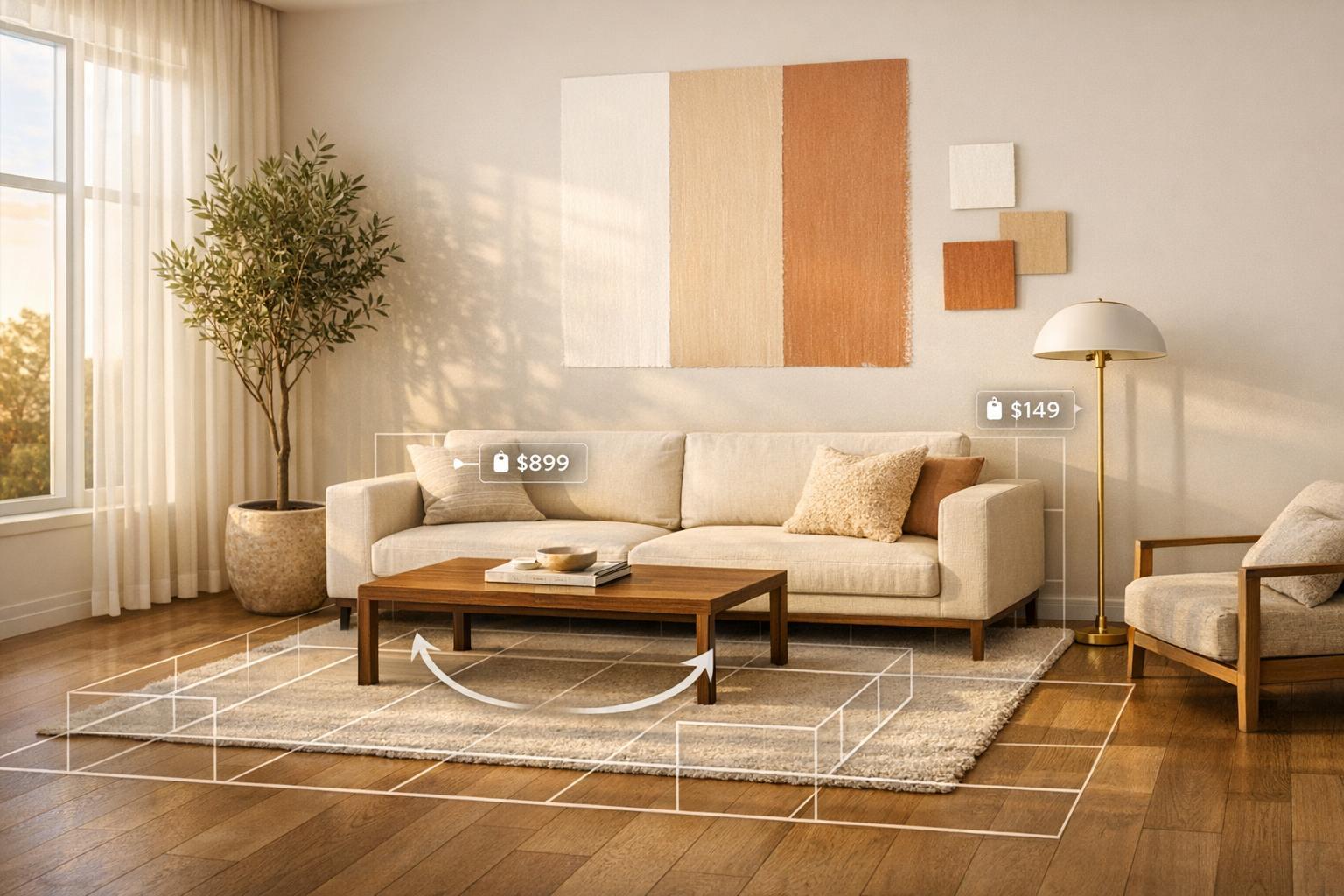
Designing your home just got easier, faster, and more affordable thanks to AI. From creating lifelike 3D models to optimizing furniture layouts, AI tools are reshaping how we approach home design. Here’s what you need to know:
- Cost Savings: Traditional design services cost $15,000–$75,000 per room. AI tools deliver similar results for $500–$5,000.
- Speed: AI reduces project timelines by 20% and can generate designs in minutes instead of days.
- Personalization: Tools analyze your room’s dimensions, lighting, and preferences to create tailored designs.
- Wide Applications: Features include instant renderings, style transfers, furniture layout optimization, virtual walkthroughs, and paint color previews.
- Ease of Use: Most tools are browser-based, mobile-friendly, and require only basic photos to start.
Key Stats:
- 65% of design professionals use AI tools.
- AI-powered tools boost productivity by 15%.
- The global AI home design market is projected to reach $4.55 billion by 2030.
Whether you’re a homeowner or a professional, AI simplifies the process, helps avoid costly mistakes, and brings your vision to life with minimal effort.

AI Home Design Statistics: Cost Savings, Speed, and Market Growth
1. InstantInterior AI

Bringing Your Vision to Life
InstantInterior AI transforms a single photo into multiple, high-quality design ideas in just minutes. All it takes is uploading a clear image and selecting a preferred style - whether you're drawn to minimalist, bohemian, modern, or traditional aesthetics. The platform then generates professional renderings that showcase how your space could look, eliminating the guesswork of imagining how materials or layouts might fit.
But it’s not just about creating stunning visuals. Each design includes curated shopping lists with direct links to products featured in the renderings. This means you don’t have to play detective to find that perfect mid-century modern living room furniture or the exact shade of sage green in the design. It’s a seamless bridge from inspiration to execution, making the design process faster and more actionable.
Saving Time Without Sacrificing Quality
InstantInterior AI doesn’t just provide ideas - it speeds up the entire design process. Traditional methods often involve scheduling consultations, waiting for sketches, and dealing with lengthy revisions. With this platform, you can generate polished designs in minutes, enabling quick iterations and exploration of multiple styles. For real estate agents and home stagers, this tool is a game-changer, allowing them to create stunning visuals for property listings almost instantly and reducing prep time for showings.
Affordable and Flexible for All Users
Whether you’re a homeowner or a design professional, InstantInterior AI offers pricing plans that fit your needs. For homeowners, the Hobby plan is just $13.50 per month (billed annually) and includes 1,200 credits upfront - enough for around 100 renders each month. Professionals can opt for the Business plan at $49.50 per month, which provides 24,000 credits upfront, supporting up to 2,000 renders monthly and includes commercial usage rights. DIY enthusiasts can experiment with creative ideas, while professionals can easily integrate the tool into their workflows without breaking the bank.
sbb-itb-4214aae
2. AI Room Rendering Software
Ability to Enhance Visualization
AI room rendering software transforms simple snapshots into lifelike 3D images. It uses advanced algorithms to replicate natural lighting, cast realistic shadows, and simulate textures that closely resemble actual materials [[3]](https://aifloorplan.ai/blog/AI in Home Design - Current and Future Application Scenarios). Even with just a basic 2D floor plan or a hand-drawn sketch, the software identifies key architectural features - like walls, doors, and windows - and converts them into fully developed 3D spaces in seconds [[3]](https://aifloorplan.ai/blog/AI in Home Design - Current and Future Application Scenarios).
This technology lets you experiment with real-world products, from furniture to paint colors, helping you make informed choices that align with your design goals. For instance, you can insert furniture from popular retailers like IKEA, West Elm, or Pottery Barn, or apply paint colors from brands such as Sherwin-Williams and Benjamin Moore to preview how they’ll look in your space. Some tools even include "day-to-dusk" lighting simulations, allowing you to see how your design changes throughout the day. This level of detail makes it easier to confidently move forward with your decisions.
Time-Saving Potential
The time savings are dramatic. Tasks that used to take hours - or even days - can now be completed in minutes. For example, rendering a single interior design concept that might have taken 4–8 hours in 2020 can now be done in just 2–3 minutes using AI. That’s up to 100 times faster than traditional methods. This speed means you can explore more design options without delays. Instead of waiting for a designer to hand-sketch ideas, you can instantly test dozens of variations - like different cabinet colors, countertop finishes, or furniture layouts.
Take homeowner Mike, for example. He used AI to experiment with 15 cabinet colors and 8 countertop materials for his $35,000 kitchen renovation. The quick previews helped him avoid a costly $10,000 mistake by switching from sterile white cabinets to navy blue before committing.
Ease of Integration into the Design Process
The simplicity of these tools makes them easy to integrate into any design process. Most AI rendering platforms are browser-based or mobile-friendly, so all you need is a clear photo. No specialized skills or expensive software are required. A well-lit image taken at eye level is usually enough to produce high-quality results. The software even calculates dimensions and suggests optimal furniture placements automatically.
For the best outcomes, professional designers recommend generating 20–30 variations to explore different layouts and focal points. However, it’s important to double-check physical measurements in real life - like maintaining at least 18 inches between a sofa and coffee table - since AI renders are better suited for visual inspiration rather than precise blueprints. These tools work best as high-fidelity mood boards, giving you a clear vision without replacing the need for final on-site validation.
3. Style Transfer Tools
Ability to Enhance Visualization
Style transfer tools make switching between design aesthetics incredibly fast and effortless. Imagine viewing your living room as a Scandinavian minimalist space, then instantly transforming it into Industrial, Mid-Century Modern, or Japandi. These tools analyze your room's layout and use AI to apply new textures, furniture, and lighting in a way that feels natural and cohesive. By leveraging computer vision, the AI identifies walls, floors, and existing light sources, then renders the new design with realistic shadows and perspective to match your space perfectly.
Some of the more advanced tools even allow you to upload a reference image from platforms like Pinterest or Instagram. The AI extracts elements such as color palettes, materials, and design motifs from the image and seamlessly applies them to your room photo. You can further refine the look with text prompts like "make this room cozy and Scandinavian" or swap specific materials - changing a charcoal fabric sofa to cognac leather, for example, takes just seconds.
Time-Saving Potential
The speed of these tools is a game changer. In less than 10 seconds, you can apply a complete design theme to your room. The AI retains structural elements like walls and windows while transforming the overall aesthetic, eliminating the need for manual 3D modeling. Want to compare velvet versus leather sofas or test different cabinet colors? With a single click, you can view side-by-side comparisons instantly.
Real estate agent Katie M. shared that using AI-powered, true-to-scale renders cut her team’s property staging timeline by 85%. For the best results, upload high-resolution photos taken in natural light at a 45° angle - this helps the AI accurately map your space. You can also generate multiple design variations to explore different focal points before committing to any purchases. This rapid transformation process makes it easier to experiment with and refine designs that match your personal taste.
Level of Personalization
Style transfer tools go far beyond cookie-cutter design templates. Many platforms offer 20 to 50+ design aesthetics, ranging from Scandinavian and Industrial to Bohemian and Modern Farmhouse. You can guide the AI with specific natural language instructions like "add a navy blue accent wall" or "create a cozy reading nook." Chat-based features allow for real-time adjustments, so you can move furniture, change rug colors, or swap material finishes on the spot.
Some platforms even let you paste a product link from retailers like West Elm or Pottery Barn, and the AI will render that exact piece true-to-scale in your room. Additionally, you can preview how your design will appear at different times of day with day-to-dusk lighting simulations. Interestingly, homeowners who use AI to visualize renovations before starting report being 40% more satisfied with their final results.
4. Furniture Layout Optimization
Ability to Enhance Visualization
Optimizing furniture layouts with AI takes visualization to the next level, blending style with functionality. These tools analyze your room's dimensions, ceiling height, and architectural features - like windows, doors, and outlets - to create layouts that fit your space perfectly [27,3]. Forget the guesswork; AI-generated, true-to-scale visualizations show exactly how each piece of furniture will fit and function. Using professional design principles, AI ensures main traffic pathways are 30–36 inches wide and conversation seating stays within 8 feet for comfortable interaction [27,15].
AI also excels at creating functional zones in a room, which is especially helpful for smaller spaces. It can designate areas for specific activities like reading, working, or watching TV [27,15]. By inputting product links and dimensions, you can preview how exact furniture pieces will look before making a purchase. This level of precision naturally speeds up decision-making and experimentation.
Time-Saving Potential
The time savings are undeniable. AI layout planners can generate 5 to 20 different arrangement options in just seconds or minutes - a task that would normally take hours of manual effort [27,14]. No more dragging heavy furniture around or sketching layouts by hand.
"AI room layout tools complete in minutes what used to take hours. AI simultaneously optimizes flow and aesthetics." - DecorAI Team
Consider this: In 2025, homeowner Michael R. revamped his living room in just three weeks for $3,200. Meanwhile, Jennifer K.'s similar project with a traditional designer cost $28,000 and took eight months. AI solutions can shorten design-to-installation timelines by up to 30% for certain projects. This speed means you can achieve a personalized, functional space much faster.
Level of Personalization
AI tools go beyond generic layouts, tailoring designs to your lifestyle and preferences. Whether the room’s primary purpose is watching TV or hosting conversations, AI prioritizes the right focal points and furniture arrangements. You can even use simple text prompts like "create a cozy reading nook" or "make the rug larger" to tweak the layout in real time.
These tools also adapt to unique challenges. If you have existing furniture that must stay or need to work around awkward features like radiators or outlets, you can input those details. The AI will adjust the layout accordingly. It even allows you to mark positions on the floor to ensure proper clearance [27,15].
Ease of Integration Into the Design Process
Using AI for furniture layouts is simple and seamless. Most tools let you upload a photo of your room or scan the space with your smartphone [27,3]. You can test various scenarios, and AI often suggests creative solutions - like "floating" furniture arrangements that make better use of space compared to traditional layouts where everything hugs the walls.
Entry-level tools start at just $4.17 per month, while professional-grade options range from $17 to $19.99 per month. Compared to traditional interior design services, which can cost anywhere from $15,000 to $75,000 per room, these tools are a fraction of the price. By 2025, around 65% of design professionals were already incorporating AI-assisted tools into their workflows, further proving their practicality and reliability [[3]](https://aifloorplan.ai/blog/AI in Home Design - Current and Future Application Scenarios).
5. Virtual Walkthrough Technology
Ability to Enhance Visualization
Virtual walkthrough technology takes static floor plans and turns them into lifelike, 3D environments you can navigate - almost like stepping into a video game version of your future home. This immersive experience provides a clear sense of spatial flow, room proportions, and traffic patterns - details that traditional 2D blueprints often fail to convey. Advanced AI rendering adds another layer of realism by simulating natural lighting throughout the day, showing how sunlight interacts with materials and finishes. It can even highlight potential design issues, like cramped hallways or awkwardly placed corners, well before construction begins. This level of detail helps speed up the decision-making process during design revisions.
Time-Saving Potential
What used to take days or even weeks now happens in mere minutes. This technology allows for rapid testing of top AI models for interior design, cutting project timelines by roughly 20–30%.
"A typical interior design render in 2020 took 4-8 hours to create... Today, the same render takes 2-3 minutes." - Hemanth Velury, CEO & Co-Founder, VirtualSpaces
With such quick turnaround times, you can explore dozens of design ideas, experiment with color palettes, and rearrange furniture layouts - all in the span of an afternoon.
Level of Personalization
Virtual walkthroughs make it easy to tailor designs to your personal style without committing to costly changes. You can instantly toggle between different aesthetics - like Scandinavian, Industrial, or Japandi styles - to see what suits your space best. AI tools even analyze your preferences and suggest furniture arrangements and color schemes that match your lifestyle. This flexibility gives you the freedom to try bold ideas, like vibrant colors or unconventional layouts, without the financial risk. For instance, typing a prompt like "bright, minimalist living room with a large gray sectional sofa" lets the AI generate a design that aligns with your vision.
Ease of Integration Into the Design Process
Incorporating virtual walkthrough technology into your workflow is surprisingly simple. Upload a photo or blueprint, and the system quickly generates a detailed 3D walkthrough. Most platforms are compatible with web browsers and mobile devices (iOS and Android) and offer cloud syncing, so you can access your projects from anywhere. The AI automatically identifies key architectural elements - like walls, windows, and doors - from basic image files, eliminating the need for manual 3D modeling. These walkthroughs also create a shared visual language between homeowners, contractors, and designers, reducing misunderstandings that often occur with traditional 2D plans. Entry-level tools like Planner 5D offer free versions, with premium features starting at $6.99 per month, while professional-grade platforms range from $14.00 to $39.00 per month. With straightforward setup and cross-device accessibility, virtual walkthroughs are reshaping how home design projects come to life.
6. Clutter Removal and Virtual Staging
Ability to Enhance Visualization
AI-driven clutter removal tools work wonders by clearing away distractions like cords, magazines, or wall hangings, allowing the room's true features to shine through. This clarity helps you better understand the room's size, natural light, and fixed design elements. Whether you're imagining a large piece of furniture or a Art Deco-inspired art, these tools make it easier to see how everything might fit together. Options like the "Remove Anything" feature let you target specific items (think pet gear or extension cords), while the "Occupied to Vacant" mode completely clears a room, giving you a blank slate for redesigning.
Time-Saving Potential
What used to take days can now be done in seconds. Real estate agents, for instance, can stage an entire property in less than 10 minutes. Need to switch styles from Modern to Transitional or Scandinavian? No problem - it's all done digitally, without movers or furniture rentals. This speed not only simplifies decision-making but also accelerates the entire design process with AI for home design tools. Properties using virtual staging sell up to 36% faster, and staged homes can sell 73% more quickly than empty ones.
Level of Personalization
Today’s advanced platforms take customization to the next level. You can input a product link from retailers like West Elm or IKEA, and the AI will pull the exact dimensions to scale for your room. Want to compare navy velvet to neutral linen or walnut to matte black finishes? Done. With text prompts like "cozy reading nook bathed in warm light" and over 50 style presets, you can experiment endlessly to match your vision. This flexibility makes it easy to fine-tune every detail to suit your design goals.
Ease of Integration Into the Design Process
Using these tools is surprisingly simple. Upload a high-resolution photo (2,000–3,000 pixels on the longest side), and the AI will handle the rest - clearing clutter and mapping out the room's dimensions in seconds. For the best results, take the photo at a 45-degree angle to capture both walls and the floor. These platforms work seamlessly across web browsers and mobile devices, with costs ranging from $15–$50 per image. Compared to traditional staging, which can run $1,500–$10,000 or more, this approach reduces expenses by up to 97%. Unsurprisingly, over 70% of real estate agents in North America already use these tools, and virtually staged homes often sell for 5% or more above the asking price.
7. Shoppable Design Platforms
Ability to Enhance Visualization
Shoppable design platforms are reshaping home design by combining visualization with effortless purchasing. These tools use computer vision to analyze room photos, creating lifelike renderings of furniture with realistic shadows and textures. Unlike basic 3D models, they rely on manufacturer-provided dimensions to ensure items are displayed to scale. Want to see how a sofa looks in velvet instead of linen? You can swap materials to observe how fabrics interact with light during the golden hour. Essentially, these platforms create a digital twin of your space, allowing you to compare products from retailers like West Elm and Crate & Barrel before committing. This level of detail makes decision-making faster and more confident.
Time-Saving Potential
By linking identified items directly to purchase pages, these platforms streamline the shopping process. You can compare products in seconds, cutting down on search time and reducing the likelihood of returns. Some even use AI-powered virtual staging to complete a room design in under five minutes.
Level of Personalization
Upload an inspiration photo from Pinterest or Instagram, and the AI extracts colors, materials, and design elements to incorporate into your space. You can pick from curated styles like Japandi or Modern Farmhouse living room designs or describe your vision in plain language, such as "a minimalist living room with a gray sectional and a light oak coffee table." If there’s a specific item you want to try, paste its product link, and the platform will render it with exact dimensions. This high level of accuracy helps match your preferences to real products.
Modora, for example, earned a 4.8/5 rating from early users, who praised its ability to match cabinet colors and minimize furniture returns.
Ease of Integration Into the Design Process
These platforms are easy to use, whether accessed through a browser or a mobile app. No special skills are needed - just snap a high-quality corner photo to capture your room, and the AI will map the space and generate realistic renderings in seconds. Many tools also integrate directly with retailers, connecting visualization to checkout. Pricing ranges from $14.99 to $29 per month for unlimited designs, though some retailer-specific tools are free. With the global AI interior design market expected to grow from $1.09 billion in 2024 to $3.59 billion by 2029, it’s clear these platforms are gaining traction as a go-to solution for saving time and enhancing the home design experience.
8. Paint Color Preview Tools
Bringing Your Vision to Life
AI-powered paint color preview tools take the uncertainty out of choosing paint by showing you exactly how a color will look on your walls. These tools use advanced technology to detect walls, trim, doors, and even cabinets while keeping the room’s lighting, shadows, and textures intact. The result? A realistic simulation that shows how colors change from natural daylight to cozy indoor lighting. Plus, you’ll have access to a massive library of over 17,500 colors from top brands, with options to switch between daytime and evening views or adjust color temperatures from 2700K to 4000K for added precision [43,44,45].
Save Time and Skip the Mess
Traditional paint sampling is not only messy but also time-consuming - each sample pot can cost $5 to $10, and you’ll need to wait days for the paint to dry. AI tools, on the other hand, deliver photorealistic previews in under 30 seconds. This means you can experiment with dozens of color options in minutes instead of weeks. With side-by-side comparisons, you can make quicker decisions and move forward with confidence. Interestingly, homes with virtually staged updates, including fresh paint, have been shown to sell up to 73% faster [40,42].
Tailored to Your Style and Space
These tools take personalization to the next level by analyzing your room’s unique features - its architecture, furniture, and lighting. You can pick from over 56 design styles, like Japandi or Modern Farmhouse, or simply describe your dream look in plain language (e.g., “add a dark green accent wall with soft lighting”). The system applies design principles such as the 60/30/10 rule to create a balanced palette, ensuring your walls stand out while furniture and accents complement the overall vibe. Simulated lighting effects also help you see how colors behave under different conditions, like grays that might look purplish or blues that deepen in the evening [45,47,50].
Easy to Use, Easy to Integrate
Getting started with these tools is straightforward. Take clear, eye-level photos of your space in natural daylight, and let the AI do the rest [45,48]. Most platforms offer flexible pricing, with free credits for new users and affordable subscription plans for unlimited designs. The intuitive interface helps you quickly narrow down your options to a few favorites, and you can even order peel-and-stick swatches to test the colors in your home before committing to a full paint job. It’s a smooth, hassle-free way to bring your design ideas to life.
9. Customizable Design Editors
Ability to Enhance Visualization
Customizable design editors let you see your space from every angle before committing to a purchase. These tools create stunning 4K photorealistic renders and offer 360-degree interactive walkthroughs, giving you an instant, immersive view of your redesigned room. With just one click, you can transform hand-drawn sketches or 2D floor plans into editable 3D models. Tools like "Material Painters" allow you to quickly swap colors and textures, making it easy to experiment with different looks without starting from scratch. This strong visual foundation makes it simple to tweak designs and make adjustments on the fly.
Time-Saving Potential
These editors don’t just look good - they’re fast. Traditional rendering might take days, but AI-powered tools can deliver high-quality results in less than 10 seconds. In fact, studies show that generative design can boost efficiency by 30% by streamlining brainstorming and ideation. Imagine creating up to 50 variations of a single room in just minutes. Plus, you can make real-time changes - move furniture, adjust lighting, or change wall colors - and instantly see how each decision affects the overall design.
"AI speeds up workflows significantly, delivering impressive results in under a minute." – Interior Designer
Level of Personalization
These editors also excel at tailoring designs to your specific needs and style. Simply describe your vision in plain language - like "a cozy reading nook with warm lighting" - and the AI will generate a design concept that fits your description. With access to extensive libraries containing thousands of items, you can personalize every aspect of your space. Smart objects make the process even smoother by snapping to walls and adjusting to your room’s dimensions automatically. Whether you’re into Scandinavian bedroom designs or Mid-Century Modern vibes, you can start with ready-made style presets and then fine-tune every detail, from flooring to light fixtures, until the space feels like it’s truly yours.
Ease of Integration into the Design Process
Getting started with these tools is simple. Most platforms run directly in your web browser, so there’s no need for expensive hardware or complicated software. Thanks to cloud-based functionality, you can begin a project on your laptop and continue tweaking it on your phone or tablet - your design is always with you. Many editors also include real-world product catalogs from brands like IKEA, or collections from Sherwin-Williams and Benjamin Moore, making it easy to go from visualization to purchase. Plus, AI-generated visualizations act as a clear communication tool between homeowners and contractors, minimizing misunderstandings by providing a concrete visual reference for the final design.
10. Batch Processing for Multiple Rooms
Time-Saving Potential
Batch processing transforms the way whole-home redesigns are handled. By importing over 200 products in one go, it slashes workflows that used to take weeks down to mere seconds. Real estate agent Katie M. shared her experience, noting an impressive 85% reduction in her staging timeline. With interior design AI apps for rendering, the process is up to 100 times faster than manual mockups, cutting the setup time for each room to under 10 seconds. This means you can create a dozen different room designs across your floor plan in the time it used to take for just one concept to be rendered. This efficiency not only speeds up the process but also ensures a cohesive design across the entire project.
Ability to Enhance Visualization
Batch processing isn’t just about speed - it’s about creating a unified design perspective. By leveraging rapid turnaround times, you can ensure that every room in your home reflects a consistent style. AI tools streamline this by automatically matching color schemes and design elements across rooms. For example, you can apply a "Modern Farmhouse" look to your living room, kitchen, and dining area simultaneously. This approach also allows you to test an entire furniture collection across multiple layouts without the hassle of uploading each piece individually. It’s particularly helpful for spotting design missteps early, like when a dark centerpiece in one room might require a lighter element in an adjacent space to maintain balance.
Level of Personalization
One of the standout features of batch processing is its ability to cater to individual preferences. You’re not stuck with generic designs - custom text instructions let you specify details like "blue accent walls" or "leather sofas" while keeping the overall look harmonious. With access to more than 20 distinct style presets and furniture catalogs from brands like IKEA and Wayfair, you can fine-tune every aspect of your design. From selecting wood finishes to choosing fabric textures and metal accents, this level of detail comes at a fraction of the cost of traditional staging methods.
Ease of Integration into the Design Process
Most platforms offering batch processing are cloud-based and run directly in your browser, ensuring your system stays responsive even when handling multiple rooms at once. All you need are high-resolution photos taken from the corners of each room to maximize spatial data, and the AI takes care of the rest. Organizing large-scale projects is straightforward with clear file naming conventions. Once the AI generates a visual mood board for your entire home, you can easily review and adjust details like walkway clearances - typically aiming for 30–36 inches - before finalizing your design.
Best AI Tools for INTERIOR DESIGNERS in 2026 | Workflows Explained
Conclusion
AI has reshaped home design, making it easier and more affordable than ever. What used to take weeks of consultations and cost up to $75,000 can now be done in minutes for as little as $500. From selecting paint colors to arranging furniture, AI allows you to test ideas digitally before committing, taking the guesswork out of the process.
By early 2025, 65% of design professionals had embraced AI tools, cutting the early design phases by up to 80% [[3]](https://aifloorplan.ai/blog/AI in Home Design - Current and Future Application Scenarios). These advancements also reduce overall project timelines by about 20%. For homeowners, this translates to faster decisions and fewer expensive errors. For more insights on the latest trends, visit our AI interior design blog.
AI has broken down traditional barriers in design. You don’t need costly software or years of expertise to create photorealistic renderings or virtually stage an entire room. Simply start with a well-lit photo taken from a corner of your space, and use targeted prompts like "Scandinavian minimalist with light oak accents" to refine your vision.
FAQs
What do I need to start using AI for home design?
To dive into AI-powered home design, start by selecting a platform that offers tools like room visualization, style exploration, or layout planning. These features make it easier to reimagine your space without lifting a hammer or moving furniture.
Here’s how it works: upload photos of your room or provide a detailed description of the space. From there, use the platform's tools to experiment with different designs, layouts, and styles. It’s a simple and interactive way to see what works best for your home.
What You’ll Need:
- Access to an AI design platform.
- Photos or a clear description of your space.
- A basic understanding of how to upload images and adjust preferences.
With these essentials, you'll be ready to bring your design ideas to life!
How accurate are AI room dimensions and furniture sizes?
AI tools designed to calculate room dimensions and furniture sizes are impressively precise. These tools rely on advanced algorithms and extensive datasets to create accurate layouts and provide tailored furniture recommendations. They can even generate detailed floor plans and suggest furniture arrangements based on the measurements you input.
That said, for projects where precision is crucial, it’s wise to double-check important dimensions manually. Variables like furniture positioning or poor image quality can sometimes influence the accuracy of these predictions. A quick manual verification can help ensure everything aligns perfectly.
How do I turn AI designs into a real renovation plan?
Start by leveraging AI visualization tools to get a clear preview of your space, helping you make more informed design choices. Upload photos or input your space details into an AI platform, which can then generate floor plans, layouts, and even suggest materials that fit your style and needs.
Once you've finalized your ideas, you can collaborate with contractors or take advantage of the platform’s project management features. These tools help you create a detailed renovation plan, complete with accurate specifications, precise measurements, and a list of necessary materials.