
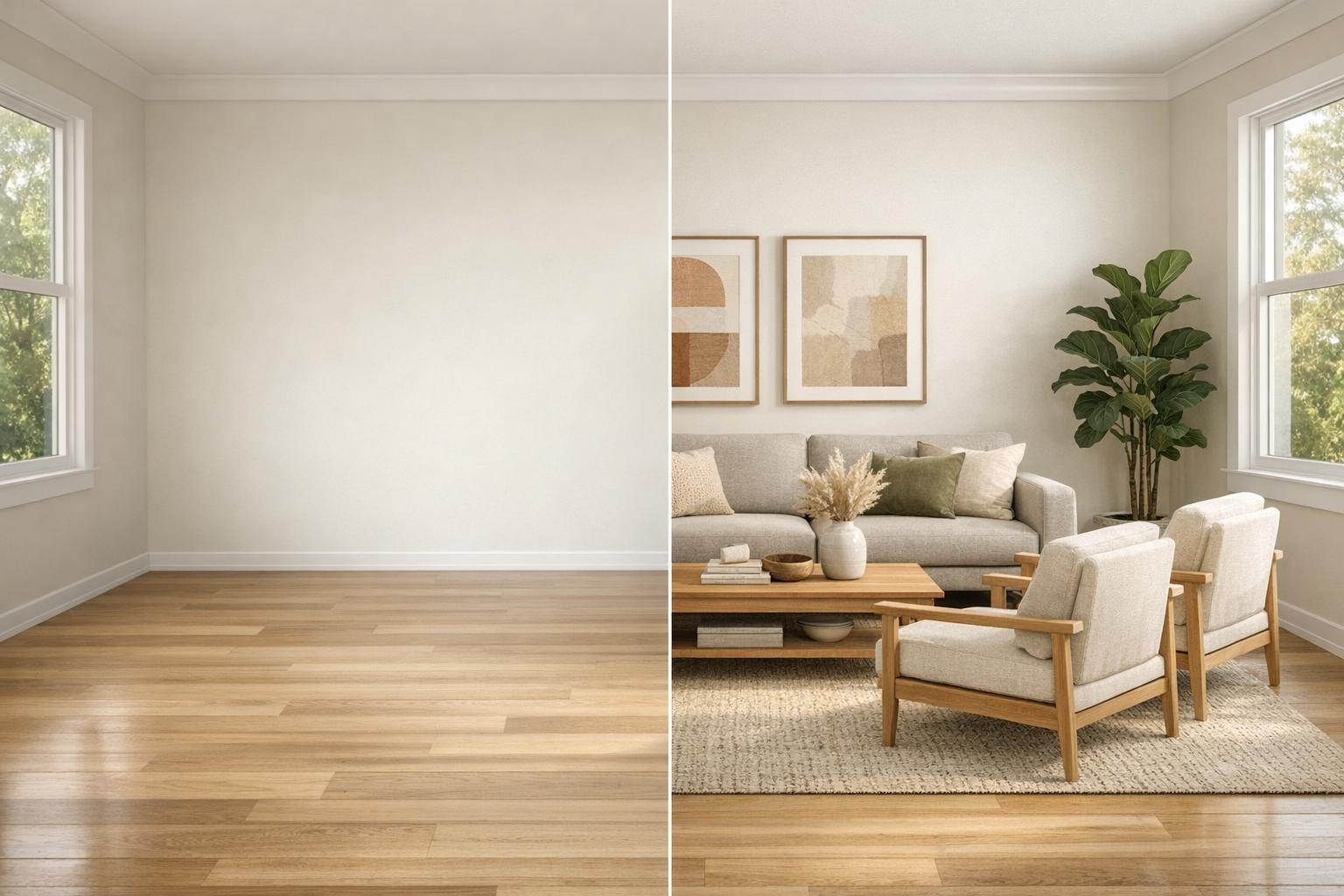
Want to make your property stand out online? Virtual home staging is a fast, affordable way to transform empty rooms into inviting spaces. By using AI tools like InstantInterior AI, you can create photorealistic, staged images in just 60 seconds. Here's how it works:
- Step 1: Take a clear, high-quality photo of the room.
- Step 2: Sign up for InstantInterior AI and upload the photo.
- Step 3: Choose a design style from over 40 options like Modern or Industrial.
- Step 4: Generate your staged image and review the results.
- Step 5: Download the image with full commercial usage rights.
At just $13.50/month, you can stage up to 100 rooms per month, saving thousands compared to physical staging. With 97% of buyers starting their search online, virtual staging can help you attract more views and offers.

5-Step Virtual Home Staging Process with InstantInterior AI
Step-by-Step Guide to Virtual Staging with InstantInterior AI

Step 1: Prepare Your Room Photo
The quality of your virtual staging starts with a great photo. Begin by clearing personal items and tidying up the space to help the AI create realistic results. For the best shot, take photos from a corner or doorway - this maximizes visible floor space and highlights the room's layout. A tripod set at chest height ensures vertical lines stay straight and prevents blurry images. Open the blinds to let in natural light, and turn on interior lights to brighten any dark areas. Taking 3–5 photos from different angles gives you more options to choose from.
"Virtual staging starts before editing…capture property photos that work." - Tan Tason, AI HomeDesign
When shooting, stick to high-resolution JPG or PNG files (up to 10MB) and avoid ultra-wide camera settings, as they can distort the room's proportions. If bulky furniture can’t be removed, don’t worry - InstantInterior AI can digitally clear the space before staging. Once your photo is ready, you’re set to upload it.
Step 2: Sign Up and Upload Your Photo
Sign up for a free InstantInterior AI account - no credit card required - and upload your room photo by dragging and dropping it into the platform. The tool works smoothly on both desktop and mobile devices. After uploading, select the room type (e.g., living room, bedroom, kitchen, or home office) so the AI knows how to tailor the furniture and layout to match the space.
Step 3: Choose a Design Style and Customize
Explore over 40 design styles, including Modern, Scandinavian, Industrial, Coastal, Mid-Century Modern, Luxury, and Minimalist. Pick a style that aligns with your target audience - Modern or Scandinavian might appeal to city condo buyers, while Coastal could be ideal for beachfront homes. For more control, advanced users can upload inspiration images or provide text prompts to guide the AI toward a specific look.
Step 4: Generate and Review Your Render
Hit "Generate" and wait about 30–60 seconds for your photorealistic render. The AI considers room dimensions, lighting, and furniture placement to create a polished result. If the first render doesn’t meet your expectations, you can easily regenerate it with a new style or layout. The platform applies room-specific logic, so a bedroom gets a bed and nightstands, while a kitchen might feature countertop appliances and dining setups.
Step 5: Download and Use Your Staged Image
Download your high-resolution image, which comes with full commercial usage rights. These images are perfect for MLS listings, marketing materials, or social media posts. To maintain transparency, label your images as "virtually staged" when sharing them in listings. All plans include the rights needed for commercial use, giving you the flexibility to use your staged images wherever you need them.
Key Features and Benefits of InstantInterior AI
Photorealistic Renders in Seconds
With InstantInterior AI, you can create photorealistic staged images in just 60 seconds - a task that typically takes 24–48 hours with manual virtual staging services. The platform's advanced computer vision technology analyzes room dimensions, geometry, and lighting to ensure virtual furniture is perfectly scaled, angled, and rendered with lifelike textures and shadows.
This speed is a game-changer, especially when you consider that 81% of buyers' agents believe staging helps buyers envision a property as their future home, according to the National Association of Realtors. The rapid render times allow you to experiment with multiple staging styles in minutes, giving you the flexibility to find the perfect look for your property listing.
But speed isn't the only advantage - customization takes the experience to the next level.
Easy-to-Use Customization Tools
InstantInterior AI features over 40 staging styles, including popular options like Modern, Scandinavian, Industrial, Coastal, and Luxury. The AI automatically identifies floors, walls, and ceilings, seamlessly aligning furniture placement with the original photo’s perspective.
You can fine-tune every detail using built-in retouching tools. Declutter rooms, change wall colors, or remove outdated furniture - all without needing extra software. These tools make it easy to create polished, market-ready images that stand out in any listing or promotional material.
Commercial Usage Rights Included
In addition to speed and customization, InstantInterior AI offers a major advantage for professionals: commercial usage rights. All paid plans - Hobby ($13.5/month), Premium ($28.5/month), and Business ($49.5/month) - come with full rights to use staged images across MLS listings, marketing materials, social media, and even print.
Plus, the cost per staged image is just $0.10 on paid plans, a fraction of the $20–$100 per room charged by manual virtual staging services. This makes it an affordable and efficient tool for real estate professionals looking to elevate their marketing efforts without breaking the bank.
sbb-itb-4214aae
Pricing Plans for InstantInterior AI
InstantInterior AI offers three pricing tiers tailored to different needs, whether you're a homeowner staging one property or a real estate team managing multiple listings. Every paid plan includes ultra-high resolution images, commercial usage rights, and access to tools like wall painting and digital decluttering.
Opting for annual billing helps you save significantly - cutting your costs in half compared to monthly payments. Plus, you'll receive a full year's worth of credits upfront with no monthly limits.
Hobby Plan: $13.50/Month
Perfect for light users, the Hobby Plan costs $13.50/month with annual billing (or $27/month on a monthly plan) and comes with 1,200 credits upfront, equal to 100 renders per month. That’s about $0.14 per render. This plan is ideal for homeowners staging a single property or real estate agents managing 1–2 listings monthly. It includes access to over 40 design styles, high-resolution downloads, and commercial licensing for MLS listings and marketing materials.
Premium Plan: $28.50/Month
For agents with moderate needs, the Premium Plan is priced at $28.50/month annually (or $57/month monthly) and provides 7,200 credits upfront, translating to 600 renders per month. The per-render cost drops to approximately $0.05, and you also get priority support - perfect for meeting tight deadlines. This plan works well for agents managing 5–10 listings each month.
Business Plan: $49.50/Month
Designed for high-volume users, the Business Plan costs $49.50/month with annual billing (or $99/month monthly) and includes 24,000 credits upfront, or 2,000 renders per month. With a per-render cost of just $0.02, it’s ideal for real estate teams, brokerages, and photographers handling 20+ listings monthly. This plan offers everything in the Premium tier, plus the lowest cost per image, making it a smart choice for scaling virtual staging operations.
These flexible pricing options make it easy to stage properties quickly and affordably, ensuring InstantInterior AI meets the demands of both casual and professional users.
Conclusion
Key Takeaways
Virtual staging doesn't need to be a hassle. With InstantInterior AI, turning empty rooms into photorealistic, inviting spaces is as simple as three steps: upload your photo, pick a style, and download the finished image. The benefits speak for themselves - staged homes sell faster, and a whopping 81% of buyers' agents say staging helps buyers imagine a property as their future home. At just $13.50 per month, you can achieve professional results without the hefty price tag of traditional staging, which typically costs between $800 and $2,500 per property. It’s an easy way to elevate your listings with minimal effort.
Get Started Today
Why wait? InstantInterior AI combines speed, quality, and simplicity to make virtual staging accessible for everyone. Whether you’re managing one property or dozens, this tool helps you create standout listings in a competitive market. Sign up now and transform empty rooms into professionally staged spaces in just minutes.
FAQs
What photos work best for virtual staging?
High-resolution photos (ideally over 1MB) are essential for virtual staging because they provide the level of detail needed to produce realistic visuals. Make sure your images are well-lit and free from clutter or distractions. Clean, tidy spaces allow the virtual staging to stand out, making the property look more inviting and professional.
Will virtual staging look realistic on MLS?
Yes, virtual staging can appear incredibly lifelike on MLS listings when executed properly. With the help of AI-powered tools, it’s possible to create polished, realistic images that allow buyers to envision how a property could look. These tools generate sharp, welcoming visuals that often look as authentic as real furniture. As long as the images are clearly labeled to indicate they are virtually staged, they can boost a property’s appeal while staying transparent. This approach often leads to quicker sales and increased buyer interest.
Do I have to label images as virtually staged?
Currently, there’s no law mandating that images be labeled as virtually staged or AI-edited. However, beginning January 1, 2026, California will enforce a new regulation requiring the disclosure of any digitally altered or AI-edited real estate images, including virtual staging. This law will also require listings to include both the original and edited versions of images. To avoid potential legal complications, it’s a good idea to start disclosing virtual staging in your listings now, ahead of the upcoming regulation.