
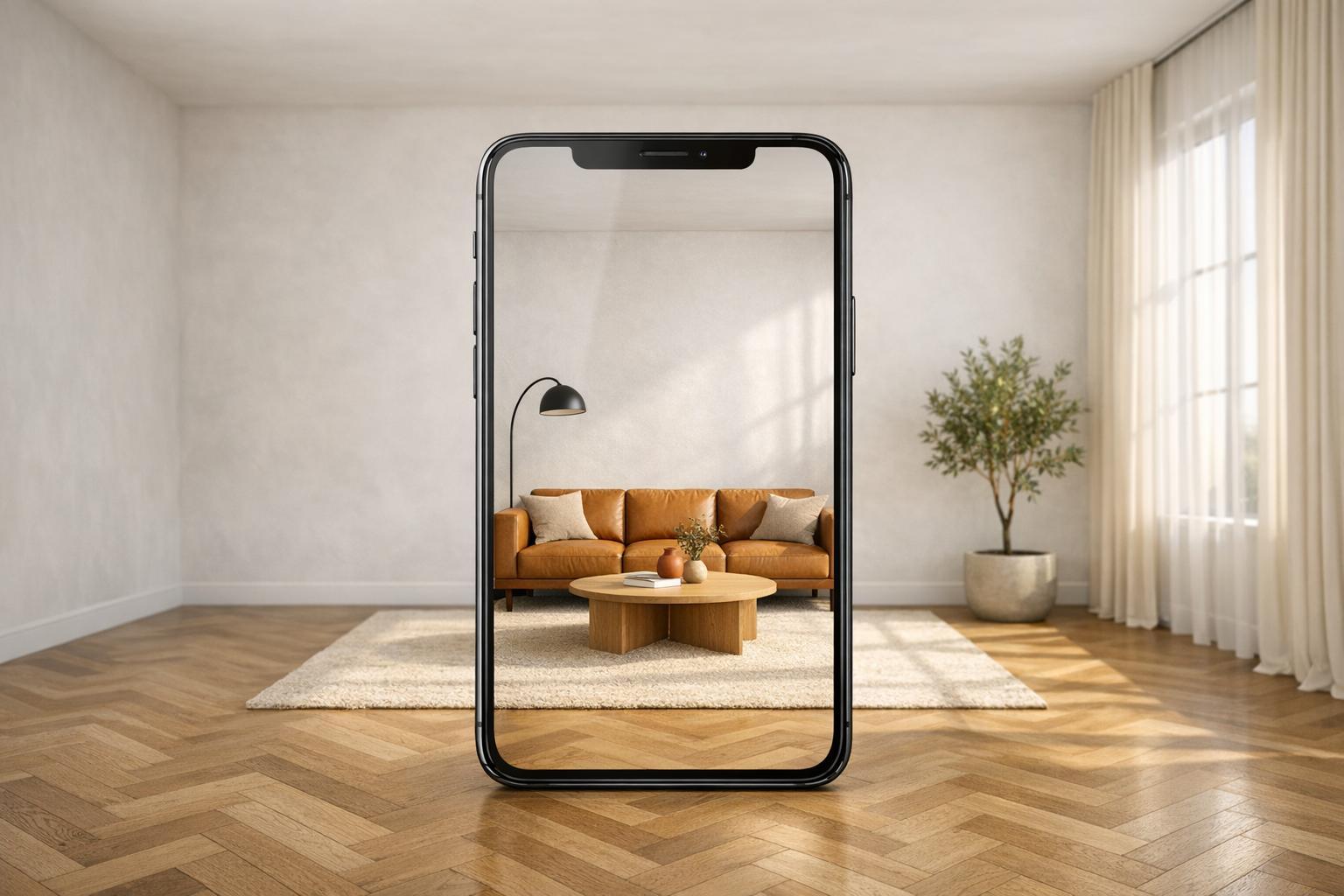
AI is transforming interior design. Tools like InstantInterior AI allow you to redesign spaces in seconds by uploading a photo, selecting a style, and generating photorealistic renders. No technical skills required.
Key takeaways:
- Cost savings: Virtual staging costs Virtual staging costs $5–$50 per image vs. $1,500–$10,000 for traditional methods.
- Speed: Designs ready in 30 seconds compared to days with manual methods.
- Market impact: AI interior design is growing from $1.09B in 2024 to $3.59B by 2029.
Whether you're a homeowner testing renovation ideas or a real estate agent staging properties, Interior design AI apps simplify the process, save money, and deliver professional-quality results. Ready to reimagine your space? Let’s dive in.

AI vs Traditional Interior Design: Cost, Speed & Market Growth Comparison
BEST AI TOOLS Interior Designer MUST USE in 2026
sbb-itb-4214aae
What is Digital Interior Design?
Digital interior design combines artificial intelligence (AI) and computer vision to create room designs with incredible speed and precision. With just a single photo, this technology can generate photorealistic designs in seconds. What used to take weeks with traditional CAD software - or cost between $2,000 and $5,000 per room - can now be achieved in mere minutes. A process that once required 4 to 8 hours now takes just 2 to 3 minutes.
The backbone of this innovation lies in Generative Adversarial Networks (GANs) or Diffusion Models. These advanced AI systems analyze a room's geometry, lighting, and objects, allowing them to overlay new furniture and textures while maintaining perfect perspective. By 2026, this technology has shifted into what’s known as "Commerce-Driven AI," incorporating real-world constraints like spatial clearance, retailer inventories, and budgets directly into the design process. Every furniture piece in a render links to a real product, making it possible to move seamlessly from visualization to purchase.
Let’s take a closer look at how a simple photo transforms into a fully designed digital space.
How Digital Interior Design Works
The process begins by uploading a photo of your room. Using computer vision, the technology maps out walls, floors, windows, and light sources, creating an accurate digital layout. From there, you can choose a design style or provide a product link from retailers like West Elm or Crate & Barrel. The AI automatically pulls product dimensions and images to create 3D models that fit perfectly into your space.
Next, the AI uses its design libraries to generate cohesive scenes, complete with realistic lighting, shadows, and reflections. The result? A photorealistic render ready in seconds. You can even use in-painting tools to tweak individual objects without having to redo the entire room.
This streamlined process not only sparks creativity but also brings practical benefits to homeowners and professionals alike.
Why Digital Tools Matter in Modern Design
AI design tools are reshaping the industry by cutting project timelines by 20%, boosting productivity by 15%, and leaving homeowners 40% more satisfied with their renovation results [[2]](https://www.decoraihome.com/blog/best AI interior design tools). For real estate agents, virtually staged homes sell up to 75% faster and often fetch prices 5% or more above asking. These listings also receive 40% more online views compared to empty properties.
Cost savings are another major perk. Traditional staging costs between $1,500 and $10,000 per project, while AI virtual staging costs just $15 to $50 per image - a savings of up to 97%.
"Rendering is a fast-dying industry... the technical and specific skills required to learn rendering software like VRay, Lumion, and Enscape are no longer required." - Jo Chrobak, Founder, Interior Designer's Business School
This shift has made high-quality visualization accessible to everyone, no longer limited to professionals with expensive tools or years of training. Now, anyone with a smartphone can explore design possibilities once reserved for luxury projects.
Benefits of Using InstantInterior AI

InstantInterior AI is changing the game in interior design by cutting costs, speeding up workflows, and opening up new creative possibilities. With photorealistic results delivered in just 30 seconds, all for $13.50 per month, it’s a tool that’s as efficient as it is affordable.
Save Time with AI Automation
Traditional interior design often involves juggling multiple teams - designers, contractors, and suppliers - which can drag projects out for weeks. InstantInterior AI eliminates these delays by allowing real estate agents to handle staging themselves, saving 5–10 hours every month. Interior decorators also gain an edge by skipping the tedious process of creating mood boards or 3D renders from scratch, enabling them to start projects immediately.
"With the ability to swiftly adapt to my clients' preferences, I can now assist them more effectively in visualizing their dream properties."
– Laura, Real Estate agent
For larger teams, the time savings can translate into significant financial benefits. For instance, a real estate team of 10 could save around $10,000 annually by switching to AI-powered staging.
Test Design Styles Without Commitment
One standout feature of InstantInterior AI is the freedom to experiment without risk. Homeowners can preview styles like modern minimalist, rustic farmhouse, or mid-century modern instantly, without committing to a specific look. This is especially useful for tailoring designs to appeal to different buyer demographics. Agents can also create multiple versions of the same room - such as staging a spare room as a home office or nursery - to see which setup resonates most with potential buyers. This kind of flexibility eliminates the delays and costs tied to traditional staging while delivering high-impact visuals.
Photorealistic Staging for Real Estate
For real estate professionals, the benefits are clear. Staged homes sell about 75% faster than unstaged ones, and listings with staged photos attract roughly three times more online views and clicks. Virtual staging can even help homes sell for up to 5% above the asking price.
Starting at just $13.50 per month, InstantInterior AI offers savings of 90% to 95% compared to traditional staging methods. Even when compared to manual virtual staging services, which charge $30 to $39 per photo with a 24- to 48-hour turnaround, this platform stands out with its instant results and flat-rate pricing.
"I am receiving a lot more calls for viewings of properties that previously attracted no interest, all thanks to overcoming challenges with poor decoration or condition of certain rooms."
– David, Real Estate agent
The combination of speed, affordability, and high-quality visuals makes InstantInterior AI a go-to solution for real estate agents, regardless of their experience level. It’s a tool designed to deliver professional results with minimal effort.
How to Get Started with InstantInterior AI
Ready to dive in? Here’s how to start using InstantInterior AI. It’s quick and hassle-free. Since the platform is web-based, there’s no need to download or install anything - all you need is an internet connection and a device. The heavy lifting happens in the cloud, so you can generate stunning renders even on everyday hardware.
Step 1: Create an Account
Head to the InstantInterior AI website and sign up. You’ll start with a free trial that includes one render, giving you a chance to explore the platform’s capabilities before committing to a plan. If you’re ready to upgrade, the Hobby plan costs $13.50 per month (billed annually) and includes 100 renders, ultra-high-resolution images, and a commercial license.
Step 2: Upload Room Photos
Once you’re logged in, upload a photo of the room you want to redesign. It’s as easy as dragging and dropping the image or selecting it from your gallery [21, 25]. Supported file formats include JPG, PNG, WebP, and AVIF. If you’re using an iPhone, remember to convert HEIC files to JPG since they aren’t supported.
To get the best results, follow these simple tips when taking photos:
- Take pictures during daylight with open blinds and interior lights on.
- Use a wide-angle lens and shoot straight-on at eye level to capture the entire room.
- Clear out clutter beforehand to help the AI focus on the room’s structure [21, 24].
- Avoid blurry or poorly lit photos, as these can make it harder for the AI to detect textures and details.
Step 3: Select Design Styles and Generate Renders
Choose a design style that fits your vision - Modern, Rustic, Bohemian, Mid-Century Modern, Scandinavian living room, Industrial, Art Deco, Coastal, Minimalist, or Traditional. You can also guide the AI with text prompts or upload an inspiration image. Once you’ve made your selections, the platform creates a photorealistic render in just 1 to 2 minutes.
Want to make adjustments? Use tools like "Paint walls", "Empty the room", or "Region Rendering" to tweak specific elements without starting over [21, 29]. All paid plans include commercial usage rights, making this a great option for real estate agents or designers who need professional visuals for clients or listings.
Features of InstantInterior AI
Photorealistic Room Renders
InstantInterior AI leverages spatial AI to analyze room geometry, lighting, and design principles, ensuring every render maintains accurate dimensions and architectural details. Unlike general AI image generators, this platform goes beyond surface-level visuals by considering elements like walls, floors, ceilings, and existing lighting. The result? Designs that look like professional photographs rather than artificial creations.
With processing times ranging from 20 seconds to 2 minutes, the platform delivers high-quality renders quickly. This makes it easy to experiment with bold colors or high-end furniture without any financial risk. For real estate professionals, these hyper-realistic renders can be game-changing. Virtually staged listings attract up to three times more clicks and can sell up to 73% faster than empty properties.
Beyond its photorealistic quality, InstantInterior AI offers users a range of customization options to bring their unique visions to life.
Customizable Design Styles and Furniture
The platform includes ten preset design styles, such as Modern, Scandinavian, Industrial, Art Deco, Coastal, and Minimalist. But it doesn’t stop there - users can personalize their designs by uploading inspiration images or moodboards. Whether it’s a specific ceiling light or a unique furniture piece, these elements can be seamlessly integrated into your room render.
Text-to-design prompts add another layer of flexibility. For instance, you can input instructions like, “Replace the sofa with a 3-seater brown Togo chair,” to adjust individual elements. This level of customization ensures you’re not limited by generic templates. Whether you want to explore bold maximalist aesthetics or the understated elegance of beige tones and bouclé textures, the AI adapts to your preferences while preserving realistic spatial relationships and lighting.
Editing Tools for Personalized Designs
Once you've chosen your design style and furniture, InstantInterior AI offers intuitive editing tools for further refinement. The "Paint Walls" feature lets you experiment with various color options, while the "Empty the Room" tool removes existing furniture, creating a blank canvas for fresh ideas. If you’re unsure about a bold change, version control allows you to test different options and revert to the original image instantly. This flexibility is especially helpful when collaborating with clients or contractors, as you can generate 20–30 variations to explore multiple possibilities before finalizing a direction.
All paid plans include commercial usage rights, making the renders perfect for professional portfolios, client presentations, or real estate listings. These tools enhance the platform’s ability to support efficient and informed design decisions.
InstantInterior AI Pricing Plans
Let’s dive into the pricing options for InstantInterior AI, designed to meet a range of design needs and budgets.
InstantInterior AI offers three subscription levels: Hobby Plan at $27 per month, Premium Plan at $57 per month, and Business Plan at $99 per month. Each plan includes commercial usage rights, making them ideal for professionals like real estate agents and interior designers, as well as homeowners tackling their own projects.
Opting for annual billing can save you a significant amount - cutting the monthly cost in half. With this option, the Hobby Plan drops to $13.50 per month, the Premium Plan to $28.50 per month, and the Business Plan to $49.50 per month. Annual subscribers also get all their credits upfront, allowing for flexibility in how and when they’re used throughout the year. Check out the table below for a detailed comparison of each plan’s features.
When billed annually, the cost per render becomes incredibly affordable: $0.14 for Hobby, $0.05 for Premium, and only $0.02 for Business. This is a fraction of the cost of traditional interior design services, which can range from $2,000 to $5,000 per room.
For new users, InstantInterior AI provides one free render to experience AI interior design before committing to a subscription. There’s also a one-time "Design 3 Rooms" package for just $19, a great option for those looking to experiment with smaller projects.
Plan Comparison Table
| Feature | Hobby | Premium | Business |
|---|---|---|---|
| Monthly Price | $27 | $57 | $99 |
| Annual Price | $13.50/month | $28.50/month | $49.50/month |
| Credits (Annual) | 1,200 upfront | 7,200 upfront | 24,000 upfront |
| Renders per Month | 100 | 600 | 2,000 |
| Cost per Render | $0.14 | $0.05 | $0.02 |
| Image Quality | Ultra-high resolution | Ultra-high resolution | Ultra-high resolution |
| Editing Tools | Style, Text, Inspiration | Style, Text, Inspiration | Style, Text, Inspiration |
| Room Tools | Paint Walls, Empty Room | Paint Walls, Empty Room | Paint Walls, Empty Room |
| Commercial License | Included | Included | Included |
| Support | Standard | Priority Support | Priority Support |
All paid plans unlock ultra-high resolution renders without watermarks, along with full access to advanced editing tools. Whether you’re a hobbyist or a professional, there’s a plan designed to suit your needs.
Tips for Homeowners and Professionals
Using the features of InstantInterior AI, both homeowners and real estate agents can turn design challenges into practical, visually clear solutions.
Homeowners: Visualizing Renovations
Making expensive design decisions without knowing how they'll look can be overwhelming. InstantInterior AI solves this by letting you explore over 50 carefully selected design themes before committing to any investments.
Here’s how to get the best results:
- Take photos in daylight from a corner of the room to capture as much detail as possible, and ensure all lights are on.
- Avoid using wide-angle lenses, as they can distort the room's proportions and furniture scaling.
Focus on the areas that matter most, like the living room, kitchen, and master bedroom - these spaces often influence renovation decisions the most. Don’t hesitate to try out different styles; you might find that a Scandinavian design feels more fitting than the Modern look you initially envisioned.
One standout feature is the ability to integrate product URLs. For example, you can paste links from retailers like West Elm or Crate & Barrel to see true-to-scale, lifelike models of actual furniture pieces in your room. Whether you’re deciding between a navy velvet sofa or a neutral linen one, this tool helps you avoid costly mistakes by visualizing everything beforehand.
For professionals, similar AI tools can streamline property staging and improve marketing strategies.
Real Estate Professionals: Virtual Staging
While homeowners use InstantInterior AI for personal projects, real estate agents can leverage it for virtual staging to gain a competitive advantage.
Staged listings attract more attention - up to 50% more views compared to listings with empty room photos. Additionally, staged properties often sell for 5% or more above the asking price. The key is to align your staging style with the target audience and the property’s architectural features.
Focus on staging critical areas such as the living room, dining room, kitchen, and master bedroom, as these spaces heavily influence buyers. For urban lofts, Modern or Contemporary styles work well, while Transitional designs tend to appeal to a broader audience.
A growing tactic among top agents is A/B testing different staging styles on social media before finalizing MLS photos. Testing two to three design variations can increase first-week listing traffic by 47%.
Transparency is essential - always label virtually staged images on MLS listings. Many real estate associations require a watermark or caption like "Virtually Staged" to ensure buyers know the images have been digitally enhanced.
Lastly, leave about 40% more open space in your staging. This makes photos more visually appealing and helps potential buyers imagine their own belongings in the room. InstantInterior AI’s tools can help you add tasteful touches like lighting fixtures and wall art without overcrowding the space, creating an inviting yet adaptable look.
AI-Driven Interior Design Trends for 2026
AI has become a cornerstone in the interior design world, evolving from an experimental tool to a must-have for professionals in the industry. The numbers speak for themselves: the global AI interior design market, valued at $2.5 billion in 2024, is projected to soar to $7 billion by 2032. This rapid growth highlights how deeply integrated AI has become in reshaping how designers work.
One of the most transformative aspects of AI in interior design is the speed it brings to the table. Generative AI tools can slash the time needed for early-stage schematic designs by an impressive 60–80% [[24]](https://aifloorplan.ai/blog/AI in Home Design - Current and Future Application Scenarios). For commercial projects, AI can cut the design-to-installation timeline by as much as 30%. This acceleration allows designers to focus more on creativity and less on repetitive tasks.
But AI’s impact goes beyond speed - it’s making design more actionable. Thanks to shoppable design features, systems can now recognize specific products in a rendered space and link directly to retailers, bridging the gap between vision and reality [[24]](https://aifloorplan.ai/blog/AI in Home Design - Current and Future Application Scenarios). Generative tools are also revolutionizing architecture by producing hundreds of floor plan options in minutes, all while factoring in constraints like lot size, natural light, and building codes [[24]](https://aifloorplan.ai/blog/AI in Home Design - Current and Future Application Scenarios). Some platforms even transform 2D sketches or hand-drawn blueprints into fully navigable 3D models instantly. These advancements not only simplify the planning process but also pave the way for design approaches that are more mindful of resources.
Sustainability is another area where AI is making waves. By optimizing layouts for natural light and simulating eco-friendly material alternatives, AI helps reduce waste caused by design errors. AI-driven energy management systems are also delivering energy savings of 15–25% [[24]](https://aifloorplan.ai/blog/AI in Home Design - Current and Future Application Scenarios), enabling designers to create spaces that are both stylish and efficient. Tools like InstantInterior AI are already leveraging these technologies to produce rapid, photorealistic designs that align with eco-conscious principles.
Importantly, AI isn’t here to replace human creativity - it’s here to enhance it. As Decor8 AI puts it:
"AI doesn't replace a designer's expertise; it amplifies it".
This partnership between human ingenuity and AI-driven efficiency is shaping the future of interior design in ways we’re only beginning to explore.
Conclusion
Digital interior design has reshaped the way we tackle home renovations and property staging. Tasks that once took weeks and came with hefty fees can now be completed in just seconds.
With InstantInterior AI, professional design tools are right at your fingertips. Whether you're a homeowner experimenting with bold color schemes or a real estate agent staging properties on a tight schedule, this platform offers a practical solution. It provides photorealistic visualizations at a fraction of the cost of traditional design services. These tools are changing the game for both home design and property staging.
The impact is clear: visualization tools increase homeowner satisfaction by 40%, and real estate listings featuring virtual staging receive up to 50% more views. Plus, AI-powered designs take an average of just 30 seconds, compared to the two or more days required for traditional rendering methods. The time and cost savings are undeniable, and they’re redefining how we visualize spaces.
InstantInterior AI levels the playing field by making high-quality visualization accessible to everyone - homeowners and professionals alike. You don’t need CAD skills or technical expertise. Simply upload a photo, choose your preferred style, and watch as your design comes to life in stunning photorealistic detail.
Ready to reimagine your space? Start using InstantInterior AI today and experience a whole new way to approach interior design.
FAQs
What photo works best for InstantInterior AI?
To get the most out of InstantInterior AI, start with a high-quality, well-lit photo. Daylight works best, but make sure all the lights in the room are turned on as well. Position yourself in a corner of the room when taking the photo - this helps capture as much of the space as possible. A clean, clutter-free room is key, as it allows the AI to focus on the space itself.
If you can, take photos from multiple angles. This gives the AI a better understanding of the room’s lighting, layout, and unique features, leading to more accurate and visually appealing designs.
How accurate are furniture sizes in the renders?
When it comes to AI-generated renders, such as those created by InstantInterior AI, furniture sizes are typically reliable for standard pieces. This accuracy is achieved through advanced methods like depth estimation and object-aware segmentation, which help maintain realistic proportions. That said, minor variations can happen, especially when dealing with unique or custom-designed furniture. While these tools produce visually convincing and proportionally scaled designs, it’s always a good idea to double-check key measurements to ensure everything fits and aligns perfectly in the actual space.
Can I use the images commercially for listings?
Yes, AI-generated virtual staging images, such as those created with tools like InstantInterior AI, can be used commercially in property listings. These images are specifically crafted to highlight and market spaces, offering a practical tool for real estate agents and homeowners looking to present properties in the best possible light.